


Effortless Client Management — Everyone in One Place
No spreadsheets, no scattered notes. AutoSoftWay keeps every client — active or past — organized, searchable, and linked to their full service history at all times.
- Add new clients instantly with a simple, intuitive form
- Comprehensive overview of all clients in one screen
- Filter to view active clients currently in your workflow
- Browse past clients and reference previous service records
- Search any client by name, phone, email, or vehicle in seconds

Every Client Detail — One Click Away
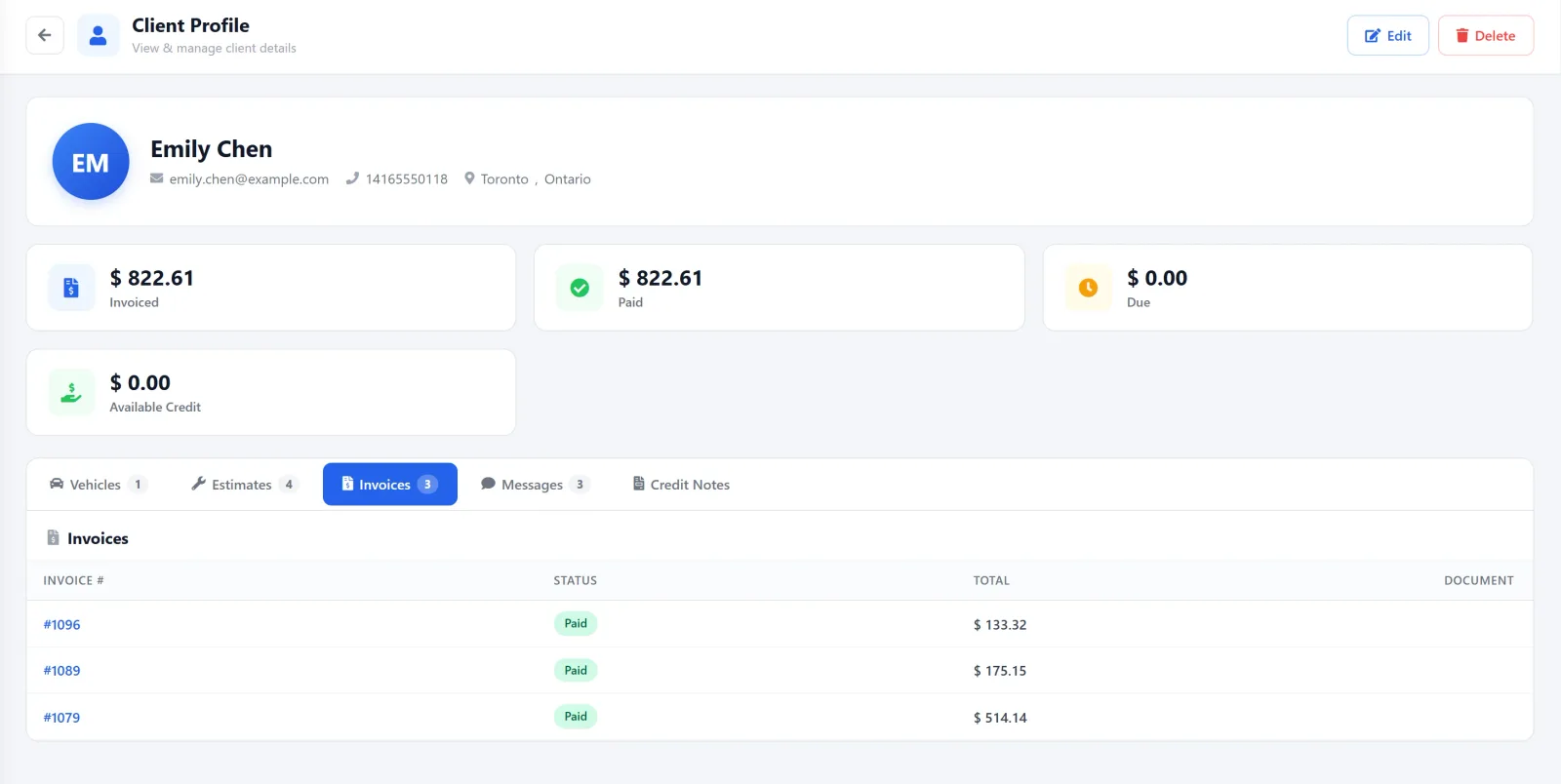
Open any client profile and instantly see all their vehicles, every estimate, invoice, and the full message history — no switching between screens or systems.
Everything Your Shop Needs to Manage Every Client
-
Add Clients Instantly
Add new clients in seconds with a simple, intuitive form — name, contact details, and linked vehicles. The client is immediately available across estimates, invoices, and work orders.
Quick Setup -
Complete Client Overview
View and manage all your clients from one screen. Filter between active clients currently in your workflow and past clients for referencing previous service history.
All In One View -
Linked Vehicles
Every client profile shows all vehicles associated with them. Click through to any vehicle for its full service history, orders, invoices, and inspection records.
Vehicle History -
Estimates Per Client
Access every estimate created for a client — complete with parts, labor breakdown, and total costs. Full estimate history in one place for easy reference and follow-up.
Full Estimate Log -
Invoice History
Review all past and current invoices for each client — including payment status, due dates, and amounts owed. Never lose track of what’s been billed or paid.
Payment Tracking -
Chat Message History
Every text and email exchanged with the client is logged in their profile. Review the full communication history to stay aligned and never lose context on a conversation.
Two-Way Comms
Frequently Asked Questions About Client Management in AutoSoftWay
Each client profile includes their contact details, all linked vehicles, a full estimate history with parts and labor breakdowns, invoice records with payment statuses, and a complete two-way chat message history.
Yes. Each client profile shows every vehicle linked to that client. You can click through to any vehicle profile to view its full service history, orders, and invoices.
AutoSoftWay lets you filter your client list to view active clients currently in your workflow, or browse past clients to reference previous service records — all from the same overview screen.
Yes. AutoSoftWay logs all two-way text and email communication with each client in their profile. You can review the full message history to ensure clear, consistent communication and never lose context on a conversation.
Adding a new client takes seconds. The interface is simple and intuitive — enter their name, contact details, and any linked vehicles, and the client is immediately available across estimates, invoices, work orders, and appointments.
Every Client. Every History.
Always at Your Fingertips.
Unlimited client storage, full profiles, linked vehicles, invoices, and two-way chat history — all inside AutoSoftWay.