


- iPhone & Android
- Same login as the web app
- Same data, phone or computer

Everything you do at the counter — from anywhere in the shop
Walk the floor, stand at the car, or check in from home. Here's what a day looks like with the AutoSoftWay mobile app, your entire shop on your phone.
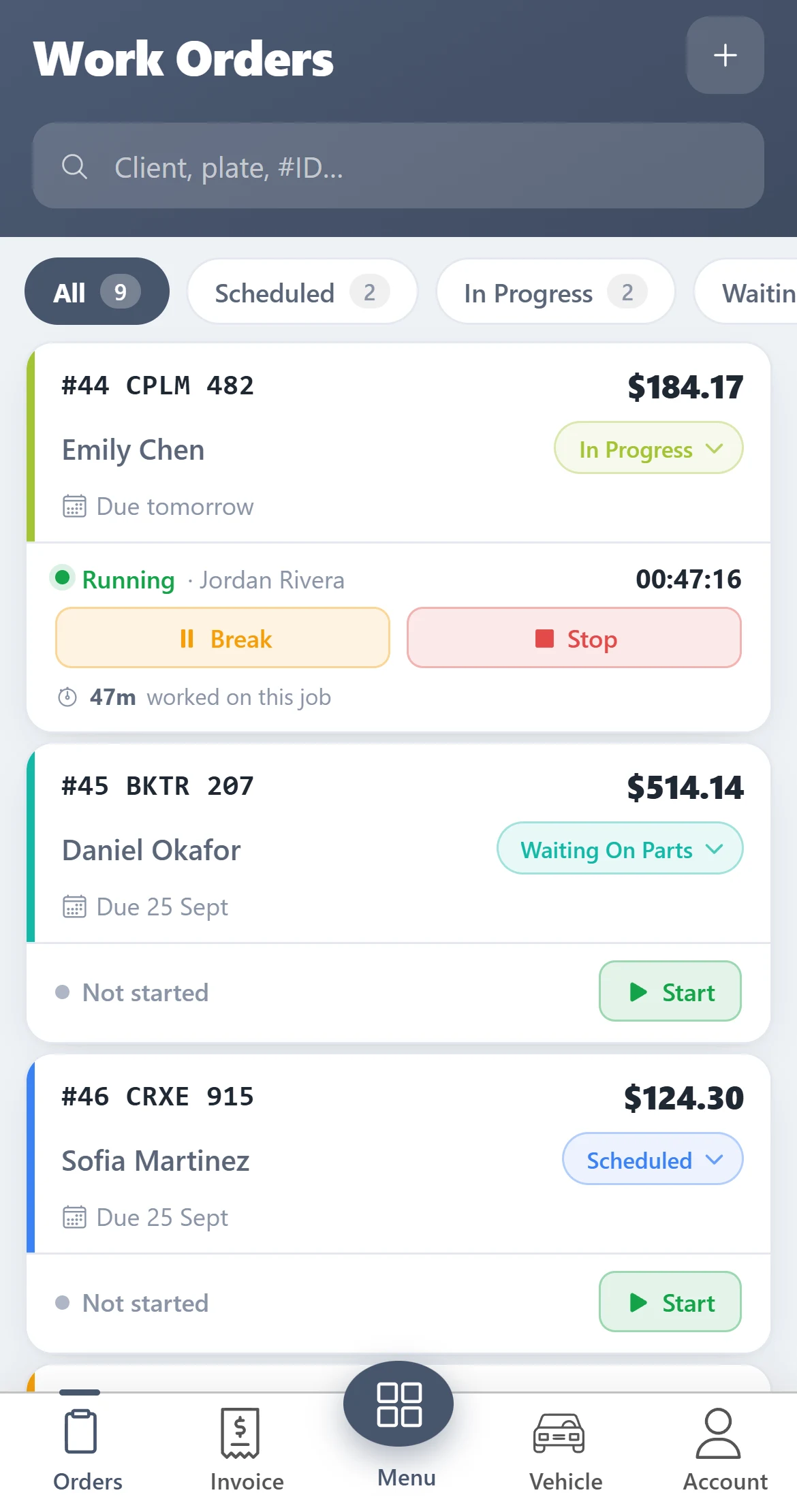
Every job, one tap away
See what's scheduled, what's in progress and what's waiting on parts — and move a job along without walking back to the office.
- Filter by status — Scheduled, In Progress, Waiting on Parts, Complete.
- Change the status right on the card — the office sees it instantly.
- Due dates and overdue jobs stand out, so nothing slips.
Start the clock when the wrench turns
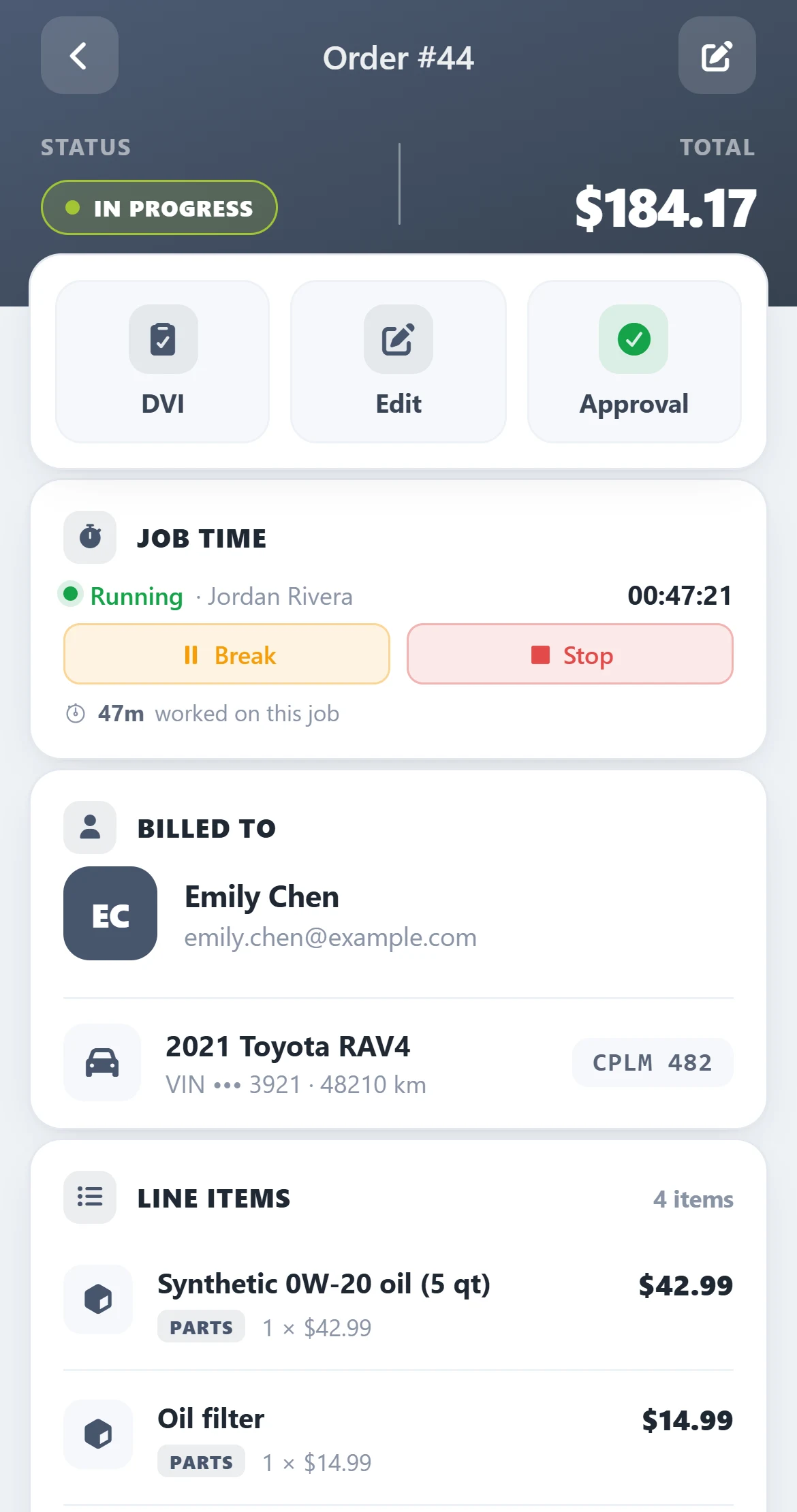
Technicians clock in for the shift and start, pause or stop time on each job — so you know exactly where the hours went.
- Start, Break, Stop on any estimate or repair order.
- Shift punch in / punch out with a daily activity log.
- Running jobs show everywhere — on the phone and on the web job board.
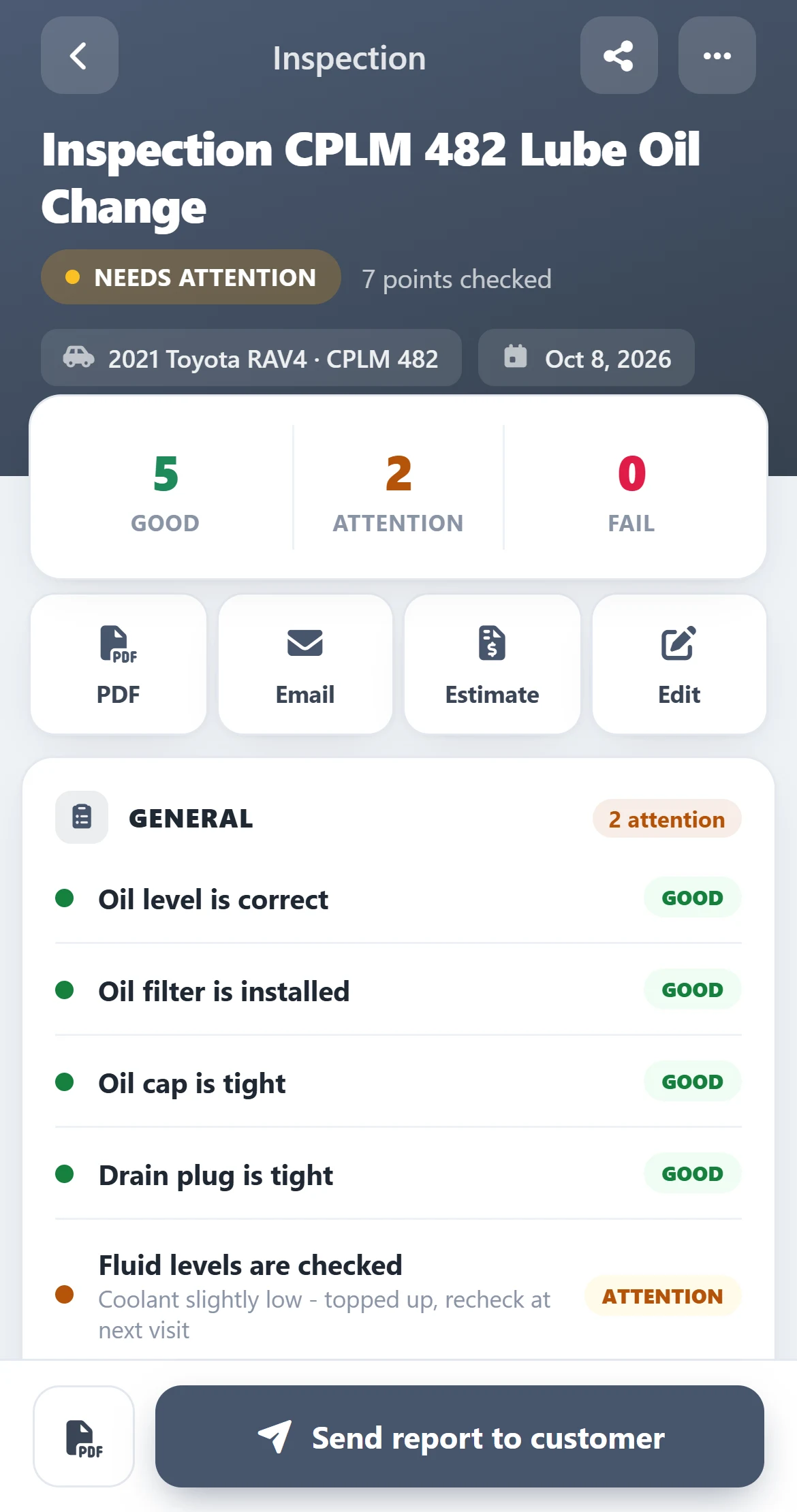
Inspect at the car, send before you're back inside
Mark each point good, needs attention or failed, add a note, and the customer gets a clean report they can actually read.
- Colour-coded results with the tech's notes on every item.
- Turn findings into an estimate in one tap.
- Send the report by email or share it as a PDF.
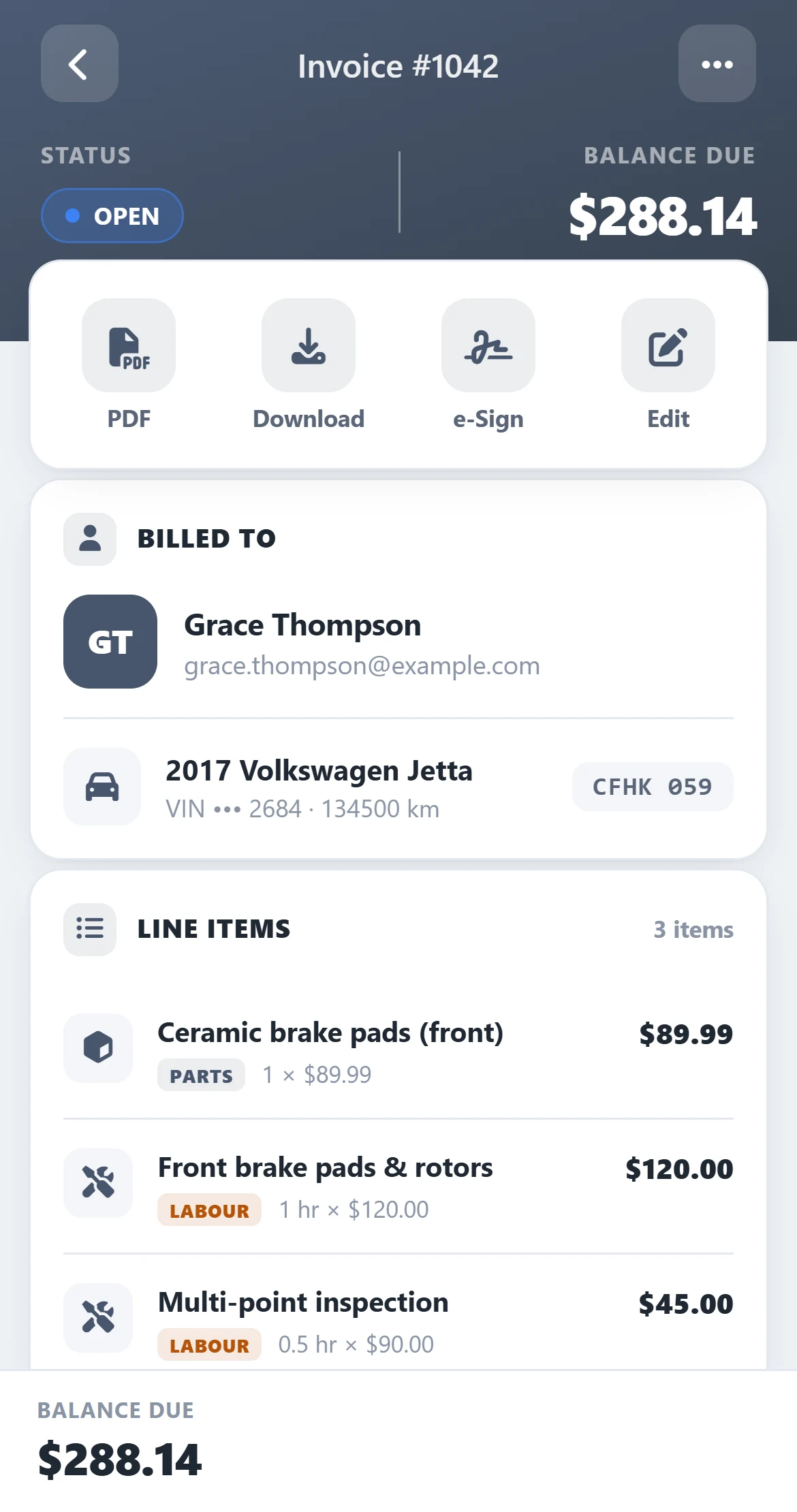
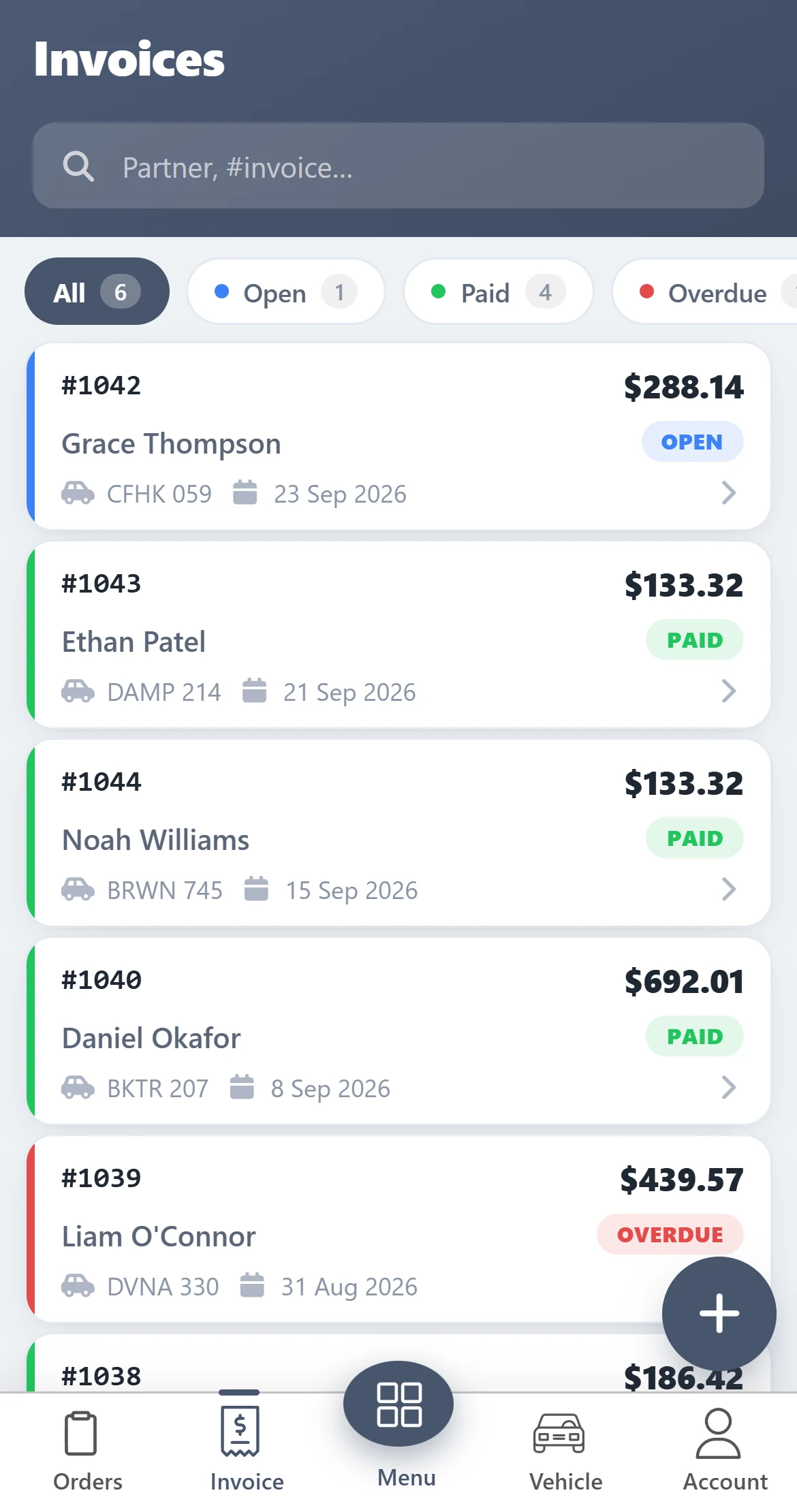
Know who's paid — and who hasn't
Open, paid and overdue invoices at a glance. Pull one up while the customer is standing in front of you.
- Balance due, customer and vehicle right at the top.
- PDF, download or e-signature from the same screen.
- Every part and labour line, exactly as it prints.
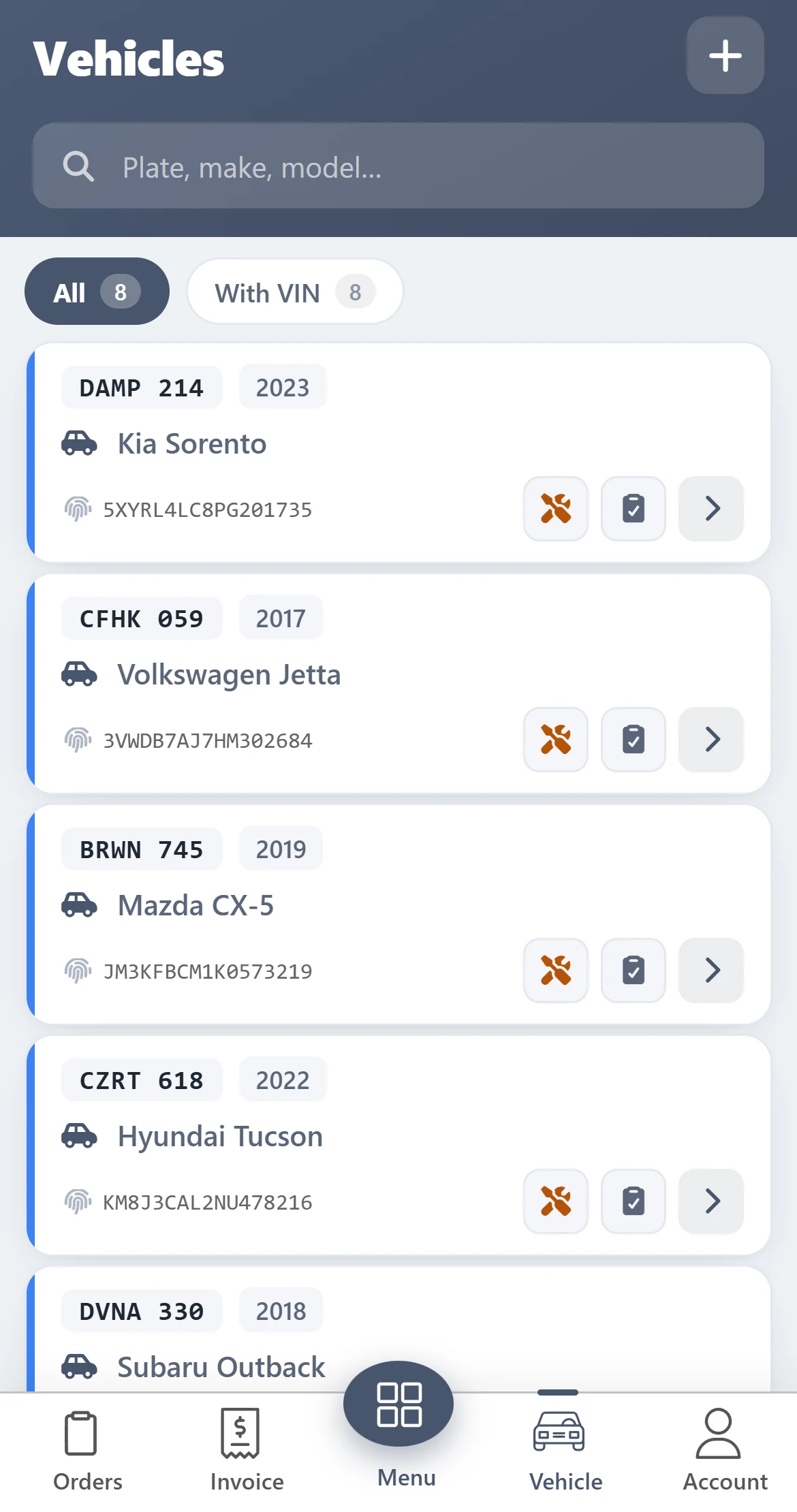
Point the camera at the VIN. Done.
Scan the windshield or door-jamb barcode and the vehicle fills itself in — no more typing 17 characters with greasy hands.
- Plate, year, make, model and VIN for every car in the shop.
- Search by plate, make or model in a second.
- Past work orders for the vehicle, right where you stand.
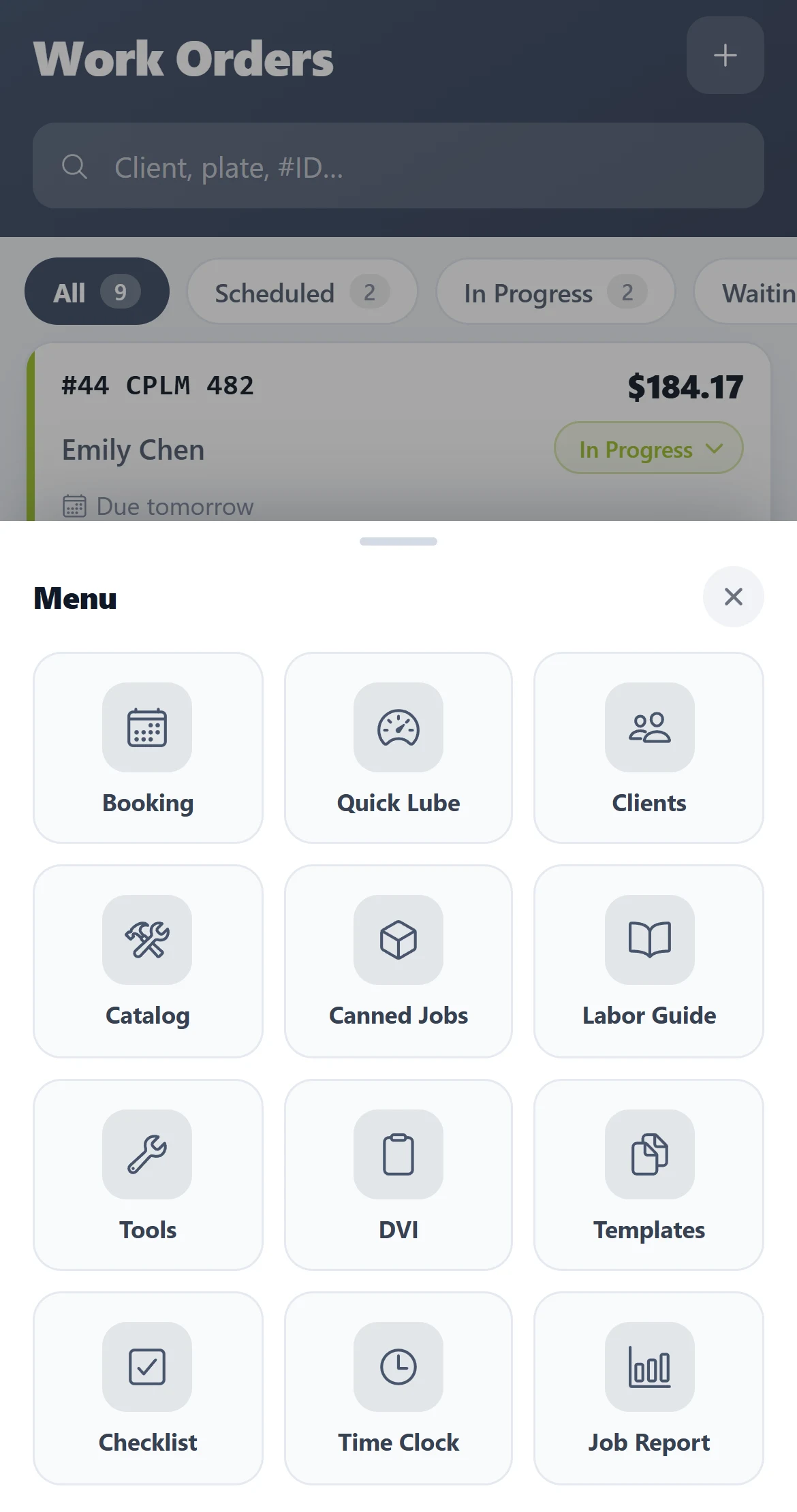
One menu. Your whole shop.
Tap the button in the middle of the bar and everything else is there — the same tools you use on the computer.
- Bookings
- Clients
- Parts & labour catalog
- Canned jobs
- Labor guide
- Quick Lube
- Inspection templates
- Checklists
- Tools & equipment
- Time clock
- Job time report
The menu shows the modules your plan and add-ons include.
Three steps to a shop in your pocket
Download the app
Free on the App Store and Google Play.
Sign in
Use the same email and password as AutoSoftWay on the web — your data is already there.
Open your first job
Your work orders, invoices and vehicles are already there, ready to go.
Run the shop from anywhere
Download AutoSoftWay and turn your phone into the most useful tool in the bay.
New to AutoSoftWay?
Start with a free sign-up, or let us show you around first.